Designing for Learning
Summary
This week we discussed designing for learning; the process of planning how students will learn. Designing for learning is not about the curriculum, it is not the “what” but the “how”. It is the activities, demonstrations, lectures, discussions and assessment tools that will make up lessons and units. Designing learning is a fundamental component of what teachers do, for most experienced teachers it is second nature. For us pre-service teachers it is an important skill to learn. We specifically discussed Universal Design for Learning (UDL) and Understanding by Design (UbD). We have heard UDL many times before in our program. It is designing learning for the edges not the average. It ensures that accessibility to learning is built into the way we teach rather than being an after thought. For example, instructions for an assignment or activity is represented verbally, visually and written; or students having choice in the way they demonstrate their learning. UbD on the other hand is the process of “backwards design”, in which learning starts with the target understanding and an assessment and the teacher plans backwards down to the activities that will be taught. We’ve loosely been taught how to build a a lesson or unit in this way, but now it’s been given a name. Finally, we discussed how GenAI can be used to adapt lesson plans to meet UDL and UbD needs. We practiced this in an assignment that involved using a UDL and UbD checklists to write a critique to give to AI to then adapt a lesson.
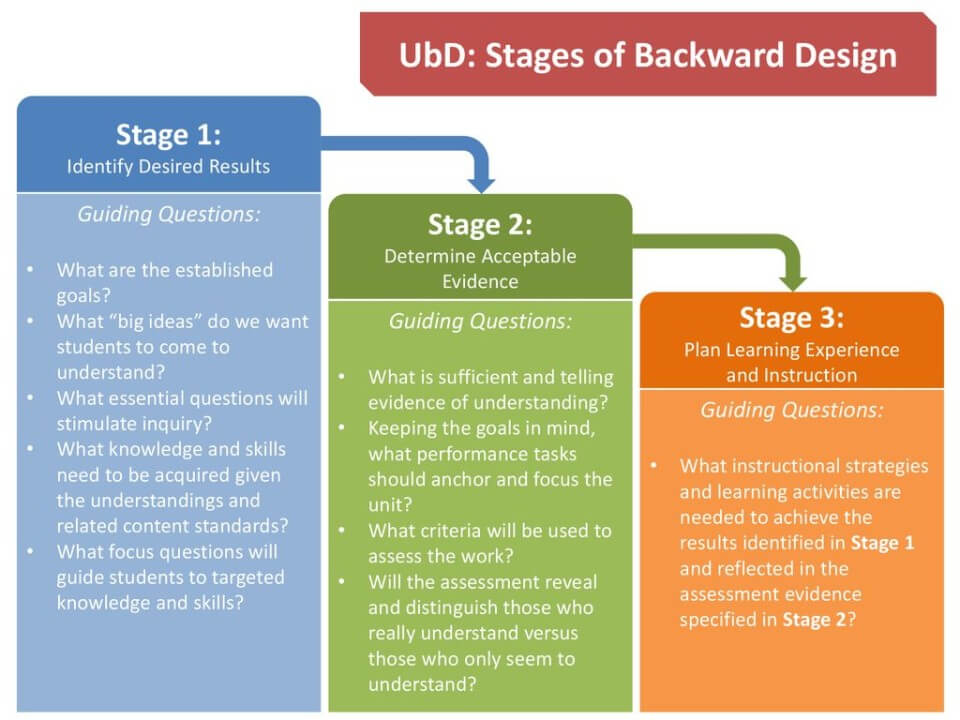
Understanding by Design
This graphic outlines the three stages of backward design: identifying desired results, determine acceptable evidence and plan learning experiences and instruction.
Graphic from EKYA Professional Development Institute
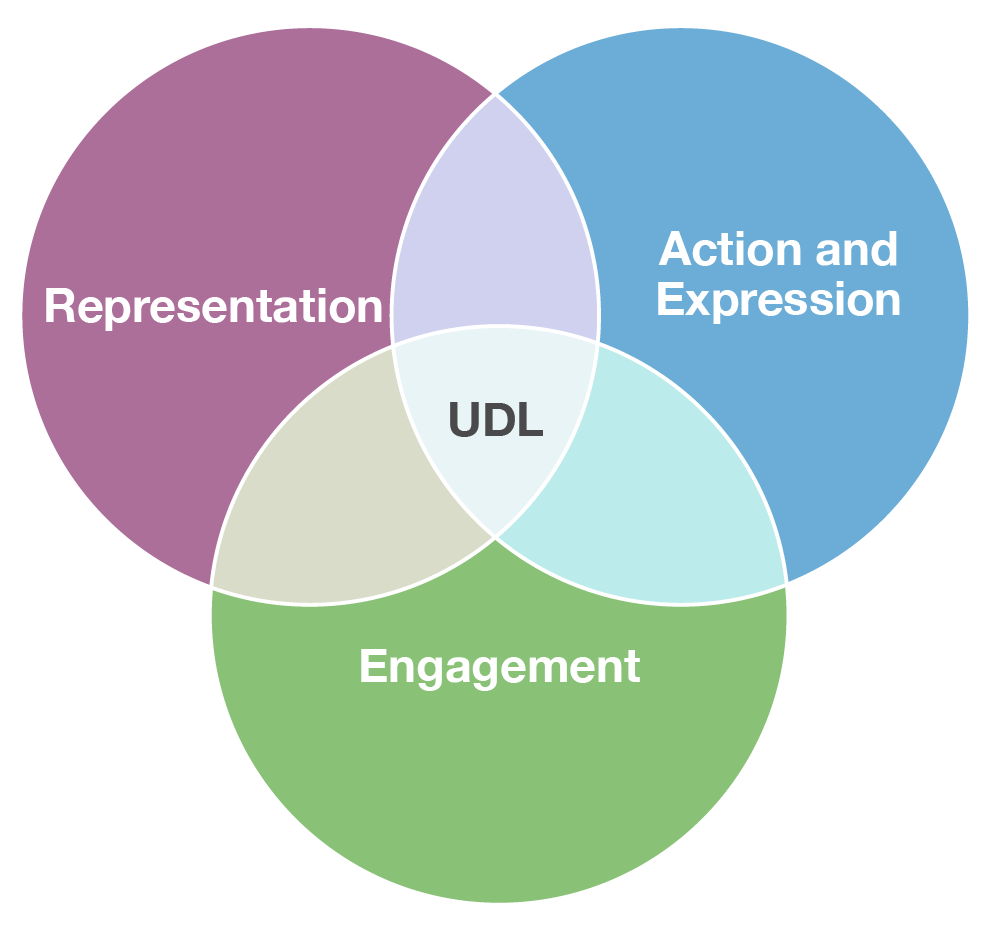
Universal Design for Learning
This graphic by Campus Mental Health displays the three main principles of UDL: representation, action and expression and engagement. Together these principles work to proactively eliminate barriers for students.
Reflection
I found this week’s material to be very useful. Lesson and unit planning seems to be an integral part of being a teacher. It is the thing that I am most nervous about if I’m being honest. It dictates what we will teach and what we will do every day. The curriculum is large, and quite vague. As pre-service teachers with little experience, how are we to possibly know where to start. Despite this, we have yet to learn explicitly how to plan lessons and units. We have had many lesson plan assignments, and given many templates, but not much guidance. Learning more about design for learning was helpful, providing a general framework for planning. I specifically found the stages of UbD to be helpful as it gives a starting point. It would be helpful to learn further about how to actually make a learning plan. Specifically, sequencing. How to you plan and schedule lessons that seamlessly transition into each other?
I found videos to be the most helpful for this exposing this topic, as it is often experienced teachers sharing their real life, tried-and-true methods. After a quick search on YouTube, I found a wealth of videos that break down unit and lesson planning. I’ve listed some of the most helpful ones below.
Helpful Unit Planning Videos
- How to Organize the Pieces of your Unit Plan for Teachers
- How to Lesson Plan | Curriculum Maps | Scope and Sequence | Kathleen Jasper
- How Do you Plan a Unit Using Backward Design? – Aspiring Teacher Guide
- Unit Plan Vs Lesson Plan – What is the Difference?
- What is UDL? Universal Design for Learning Explained
Activity
I found the activity this week to be helpful as well. In my reflection last week I discussed how I felt GenAI was best used to enhance or adapt an already developed idea. Although I used the lesson plan produced by ChatGPT for this assignment, I could see how this same process would be helpful with my own ideas. The UDL and UbD templates are helpful to guide the AI prompts for enhancing a lesson. Our profs are consistently telling us not to reinvent the wheel as new teachers. That there are already so many resources available to us online and from other teachers. I believe this is an important point, new teacher burn out is a real thing. However, I find that notion conflicting, as we are also taught how the education system is constantly changing, and how it has to change to meet the needs of the modern learner. I think that these templates in combination with AI tools can bridge the gap between these two seemingly conflicting ideas. We don’t need to start from scratch as new teachers, but we also have the capacity to adapt, change and enhance what is already out there to fit our needs as teachers and more importantly the needs of our students.
Anja, I am glad the simple templates and tools in this unit are helpful for you. Your additional research added to your post is also very helpful. The end goal, or ‘big idea’, is to start making your practicum time easier now with very specific skills, strategies, and tools.